02Case study
ERP bidirectional sync
Keeping a mobile sales-agent backend and the company ERP in sync in both directions, without the two systems talking to each other in circles.
- The problem
- Field sales agents needed the ERP’s products, stock and prices on their phones — without the ERP on every request.
- What I built
- Two-way sync: changes pushed out through queued jobs, pulled in through webhooks and eight scheduled pulls, with no write-back loop.
- The result
- Live with about 50 field agents, and every sync run is recorded, so a failure is visible instead of silent.
Primary author. About 73% of the integration layer: 2,937 of 4,048 lines across 52 files, 17 of them test files.
Problem
A mobile backend for field sales agents needed the same products, stock, categories and prices that the company ERP holds. The ERP is the system of record for that data. The app is where the agents work, usually on a phone, often standing in front of a customer, sometimes on a connection that barely holds.
Calling the ERP on the request path would have put an external system in charge of how fast our screens load, and whether they load at all. So the data had to live in our own database and be kept current in both directions.
Constraint
Bidirectional sync has one failure mode that matters more than the rest, and it is the loop. We push a record to the ERP, the ERP answers with its remote id, we save that id on our model, the save fires model events, the observer enqueues another push, and from then on the two systems talk to each other forever with no human involved.
The second constraint is that a change is not always a column. A media attachment or a pivot-table row is a change an agent can see on screen, and if only plain row updates sync, the data ends up subtly wrong in ways nobody can reproduce or explain.
Approach
Outbound, model observers enqueue push jobs that go through a typed ERP client, so the shape of every request and response is checked at the boundary instead of somewhere inside the business logic. The observer then writes the returned remote id back without re-triggering model events. That one decision is what prevents the infinite loop: the id is persisted, and the persistence is silent.
Inbound, there are two channels. Webhook ingestion behind an API-key validator handles what the ERP does push, and eight scheduled pull commands cover the rest: products, stock, categories, units of measure, locations, vendors, visits and salespeople. The pulls are the safety net. A webhook that never arrives is invisible by definition, while a scheduled pull that finds a difference is not.
An event-type enum covers row changes, media changes and pivot-table changes, so attaching an image or updating a pivot row syncs the same way an ordinary column update does, rather than through a special case bolted on later. A SyncRun table records the outcome of every run. That matters more than it sounds, because a sync that fails silently is worse than one that does not run at all: the silent failure looks exactly like success.
Trade-off
The system is eventually consistent. An agent can act on stock data that is minutes old, which occasionally means a quantity on screen is not the quantity in the ERP.
I accepted that because the alternative was synchronous ERP calls on the request path, which trades an occasional stale number for a permanent dependency: every screen as slow as the ERP is that morning, and every ERP hiccup an outage in our app. The SyncRun table is the compensation. Staleness you can see and measure is a different thing from staleness a customer discovers for you.
Outcome
It is live with roughly 50 field sales agents. Media and pivot changes propagate like any other write, the loop the design was built to prevent has not happened, and when a run fails it is visible in SyncRun rather than being noticed later by the person whose numbers were wrong.
- Lines
- 2,937 / 4,048
- Test files
- 6
- Scheduled pulls
- 8
- In production with
- ~50 field sales agents
What the field agents see
Client not named, and edited before publishing: the account name, the logo and the one real vendor name are covered, and product branding is blurred. Screens whose content was lists of real people were left out rather than redacted.
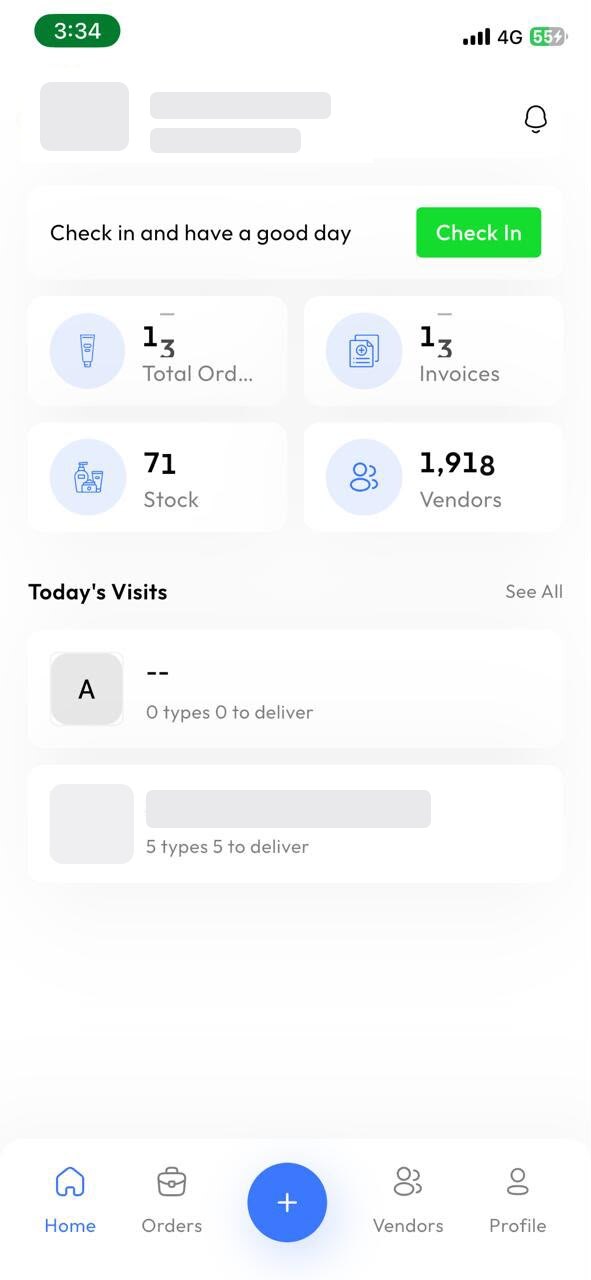
Counters fed by the ERP sync — 1,918 vendors and 71 stock lines held locally, so the screen renders without an ERP call on the request path. 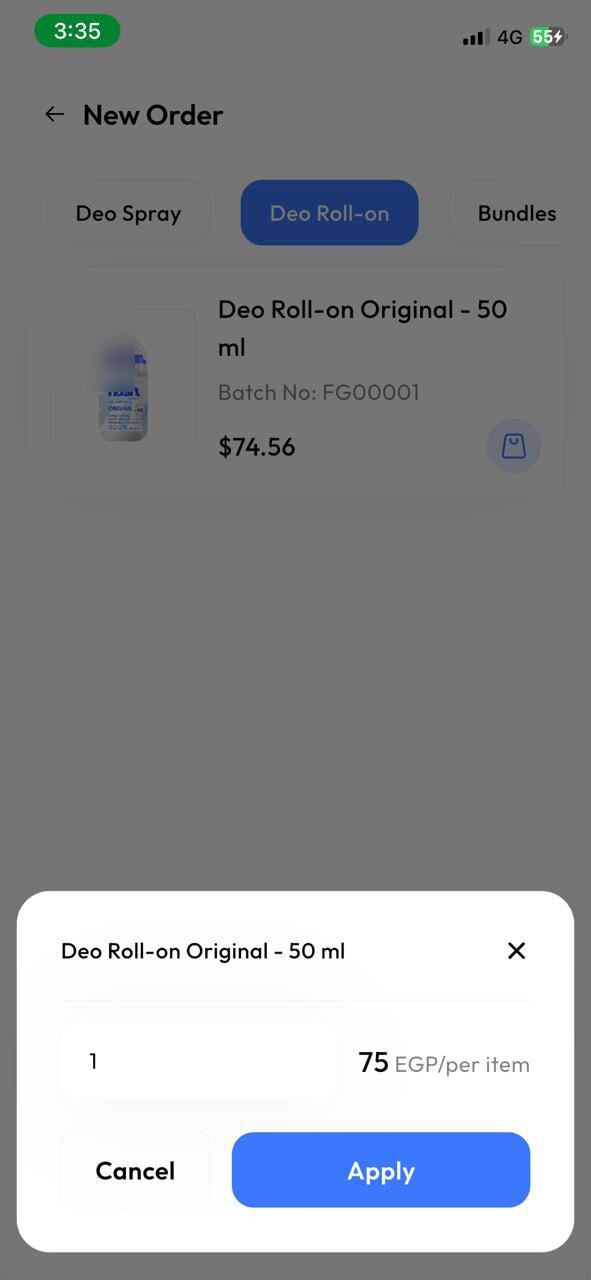
Batch number and unit price arrive with the product, so the agent is quoting the same figure the ERP holds. 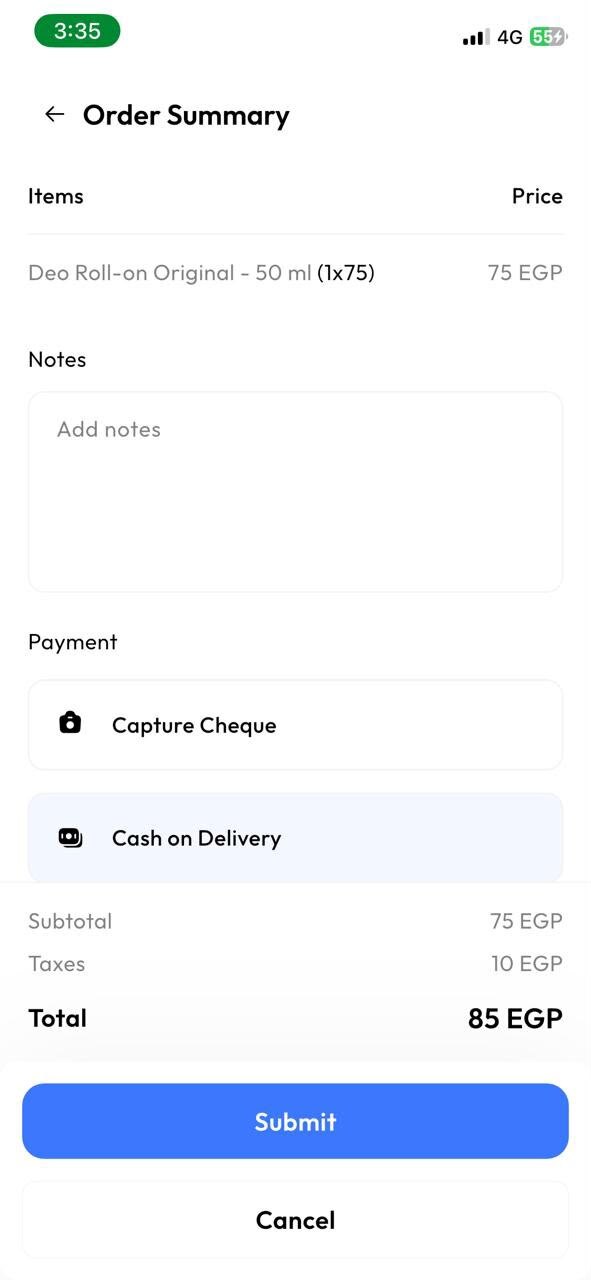
Order summary with tax resolved before submission — the totals are computed where the price came from.
/**
 * Write the remote id back WITHOUT re-firing model events.
 *
 * A plain save() here would re-trigger this same listener, enqueue another
 * push, and loop forever. saveQuietly() is the whole trick.
 */
public function pushed(Syncable $model, int $remoteId): void
{
    $model->remote_id = $remoteId;
    $model->synced_at = now();

    $model->saveQuietly();
}
Paraphrased from a private repository — names changed, logic preserved.
- Laravel
- PHP
- Eloquent Observers
- Laravel Queues
- Task Scheduling
- Webhooks
- REST API Integration
- PHPUnit
Need something like this built?
Taking freelance work · ~20h/week.